
CAD From A Parallel Universe
A computer-aided design (CAD) tool from a parallel universe in which CAD software evolved from Lisp machines rather than drafting tables. Built on functional representations (Signed Distance Fields / F-Reps) and Python 3 scripting, with native Windows and Linux builds added.





Fork Notice: Added Windows & Linux Buildsv0.9.7 Ready
This repository is a fork of Matt Keeter's Antimony. It is a fork where I added Windows and Linux build support, resolving toolchain dependencies and providing portable pre-compiled Windows zip packages and Linux packages (.deb / standalone .tar.gz) alongside the macOS releases.
Screwdriver Modeling Session Workflow
Click any step below to jump directly to that section in the videoPress & Community Discussion
Articles, interviews, and community reactions from Hacker News & Hackaday
“Otherworldly CAD Software Hails From a Parallel Universe”
Hackaday featured Antimony's node-based modeling paradigm and functional representation approach to CAD.
“Introducing Antimony, Node-Based CAD Application”
Detailed interview with Matt Keeter exploring the intersection of Lisp programming, graph UX, and math solids.
Hacker News Discussion (Show HN)
Discussion of mathematical solid representations, performance comparisons with OpenSCAD, and implicit surface modeling.
Antimony Release 0.9.7
Latest ReleaseOfficial Windows, Linux & macOS binaries hosted on GitHub Releases
Windows Build
antimony-windows.zip • 87.5 MBNative Windows portable build with bundled Qt5, Python 3 runtime, and required dynamic libraries. Extract and double-click antimony.exe.
Linux Packages
.deb (14.2 MB) • .tar.gz (21.0 MB)Pre-compiled 64-bit binaries for Linux. Install the Debian package with desktop icon integration, or extract and run the standalone portable tarball.
macOS Disk Image
antimony-mac.dmg • 38.6 MBStandard macOS Disk Image bundle. Open the DMG and drag Antimony.app into your Applications folder.
Extract antimony-windows.zip to any directory. No registry installation required. Double click antimony.exe to start modeling.
For Debian/Ubuntu, install via sudo apt install ./antimony-linux-amd64.deb. For other distributions, extract antimony-linux-x86_64.tar.gz and run ./antimony.sh.
“Antimony is a computer-aided design (CAD) tool from a parallel universe in which CAD software evolved from Lisp machines rather than drafting tables.”
The Three Mostly-Orthogonal Axes
Unlike traditional monolithic CAD programs, Antimony is decomposed cleanly into three decoupled subsystems:
1. Directed Acyclic Graph
Information flow engine tracking dependencies, parameter inputs, and propagating edits downstream automatically.
2. Geometry Engine (CSG)
Solid modeling using functional representations (F-Reps) where boolean unions, intersections, and subtractions are mathematically exact.
3. Standard Library & UI
Rich shapes and spatial transforms with bidirectional 3D UI hooks that allow interactive direct manipulation in viewport.
1. Graph Engine (DAG & Scripted Nodes)
Directed acyclic graph tracking parameter flow and topological changes
Solid modeling in Antimony is performed by connecting nodes in a graph. Nodes typically represent primitive shapes (circles, cubes, cylinders) or transformations (extrusions, sweeps, rotations, CSG booleans).
Each node is defined by a customizable Python 3 script augmented with a few special keywords like input() and output() that declare ports and inject variables into the script namespace.
When any port value or node script changes, Antimony tracks the dependency graph and instantly recalculates only the affected downstream nodes, ensuring high performance even in deep DAG trees.
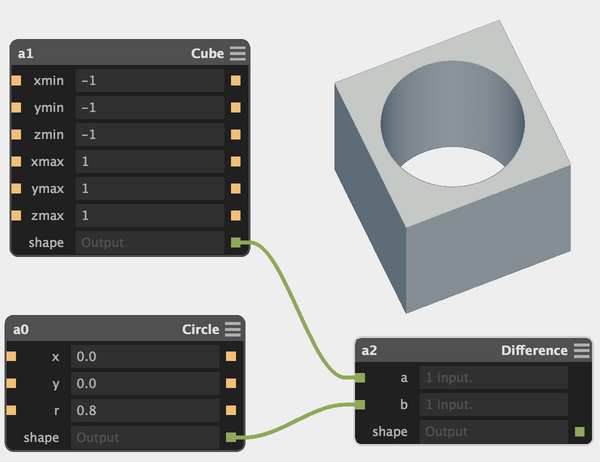
import fab.shapes

# Define a set of input ports
# (and inject variables into the local namespace)
input('x', float)
input('y', float)
input('r', float)

# Call the 'circle' function in the standard shapes library
# using the variables that came in from the input ports
c = fab.shapes.circle(x, y, r)

# Create an output port that produces the circle shape
output('shape', c)
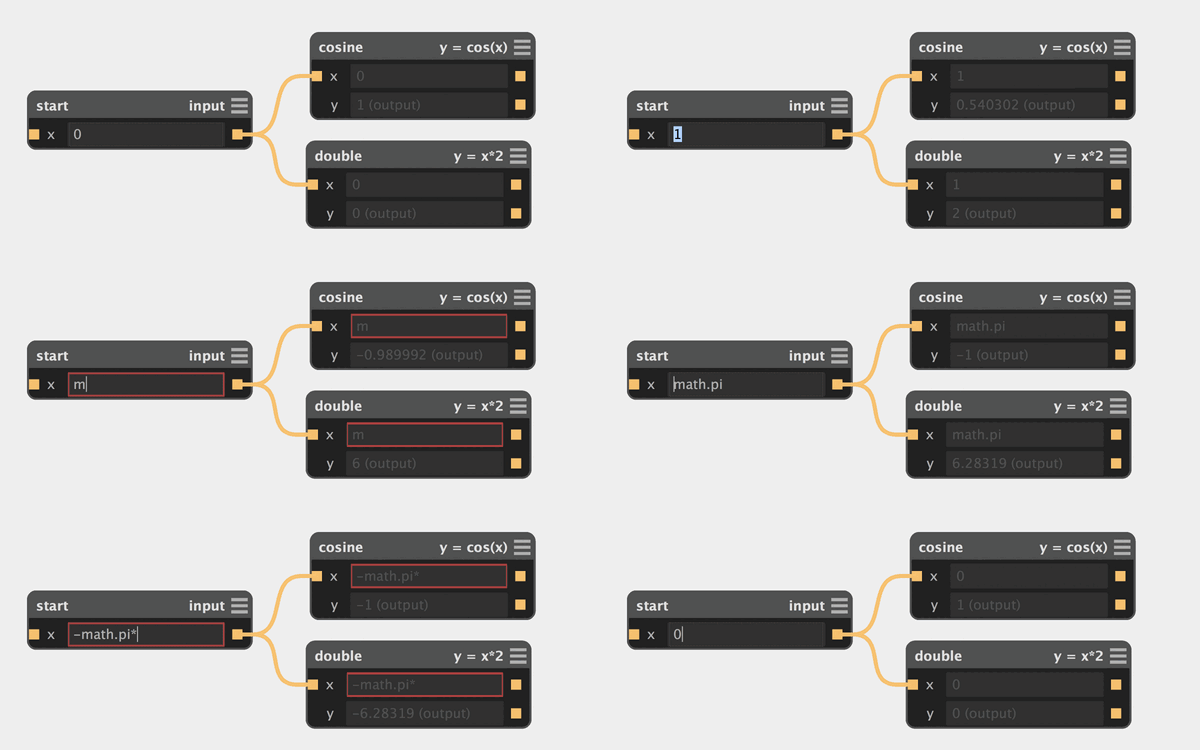
Real-time Downstream Propagation
Dragging sliders or typing new values updates dependent nodes instantly across all links.
Scaling to Complex Assemblies
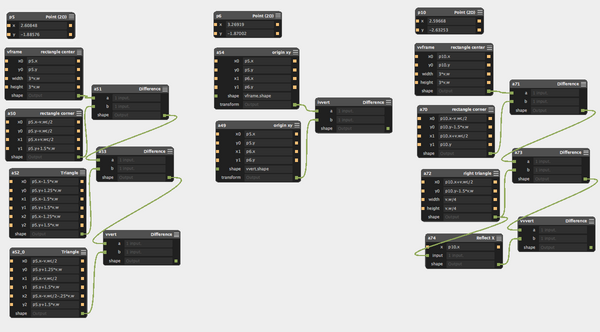
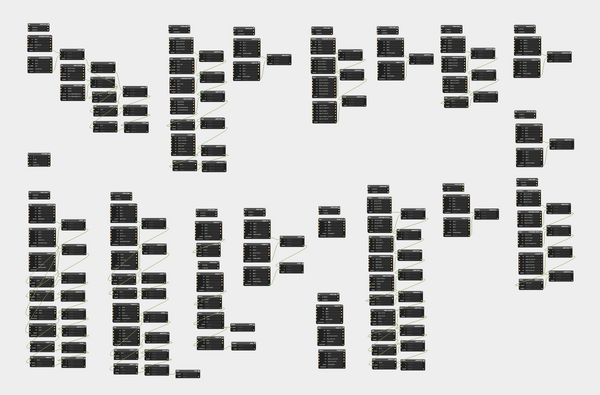
The DAG architecture scales seamlessly from single components up to multi-part mechanical assemblies (e.g., the Kelvin clamp assembly).
2. Geometry Engine (Functional Representations & CSG)
Implicit surfaces, pure mathematical booleans, and shaded bitmap viewport blitting
Antimony's geometry engine uses functional representations (F-Reps) for solid modeling. Solids are defined by implicit mathematical equations f(x, y, z) < 0.
This representation is uniquely suited for Constructive Solid Geometry (CSG) operations:
- Union:
min(A, B) - Intersection:
max(A, B) - Difference:
max(A, -B)
In the application, the geometry engine renders shapes as shaded distance bitmaps which are then blitted directly to the interactive 3D viewport.
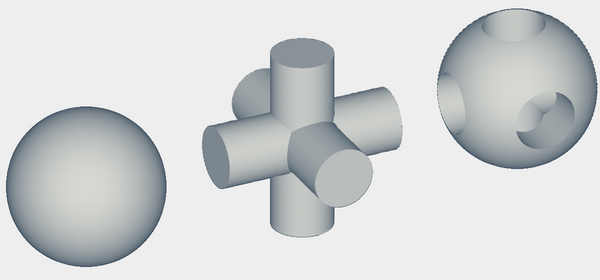
Real-time Shaded Bitmaps & 3D Viewport
Shapes are evaluated in parallel on CPU/GPU raymarchers and blitted cleanly as shaded bitmaps.
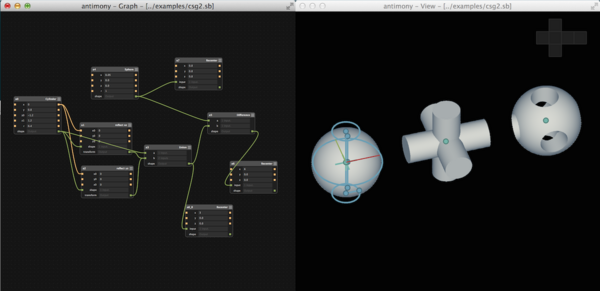
Sharp Feature Detection in .STL Export
Antimony exports heightmaps for 2.5D CNC machining and watertight .stl files for 3D printing with feature detection algorithms that keep sharp edges crisp.
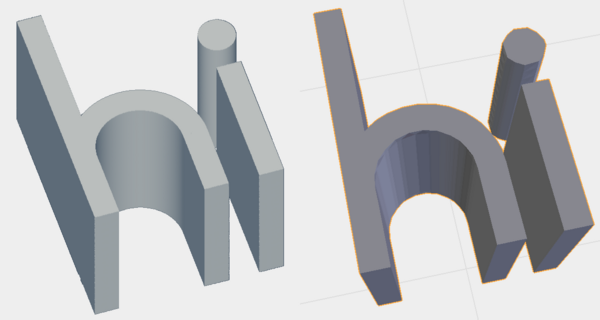
3. Standard Library & Bidirectional 3D UI Hooks (sb.ui)
Direct on-screen manipulation handles wired back into Python node parameters
Antimony's standard library defines dozens of shapes and spatial transforms, from standard primitives (cube, cylinder, sphere, circle, rectangle) and booleans to exotic deformations like attract, repel, twist, and bend.
Crucially, node scripts can define interactive 3D UI features using the sb.ui module. Wireframes and draggable control points are drawn directly over the 3D model.
These UI features are hooked back into the graph: dragging corner points or handles in the 3D viewport pushes coordinate updates back into the node's Python input ports in real time!
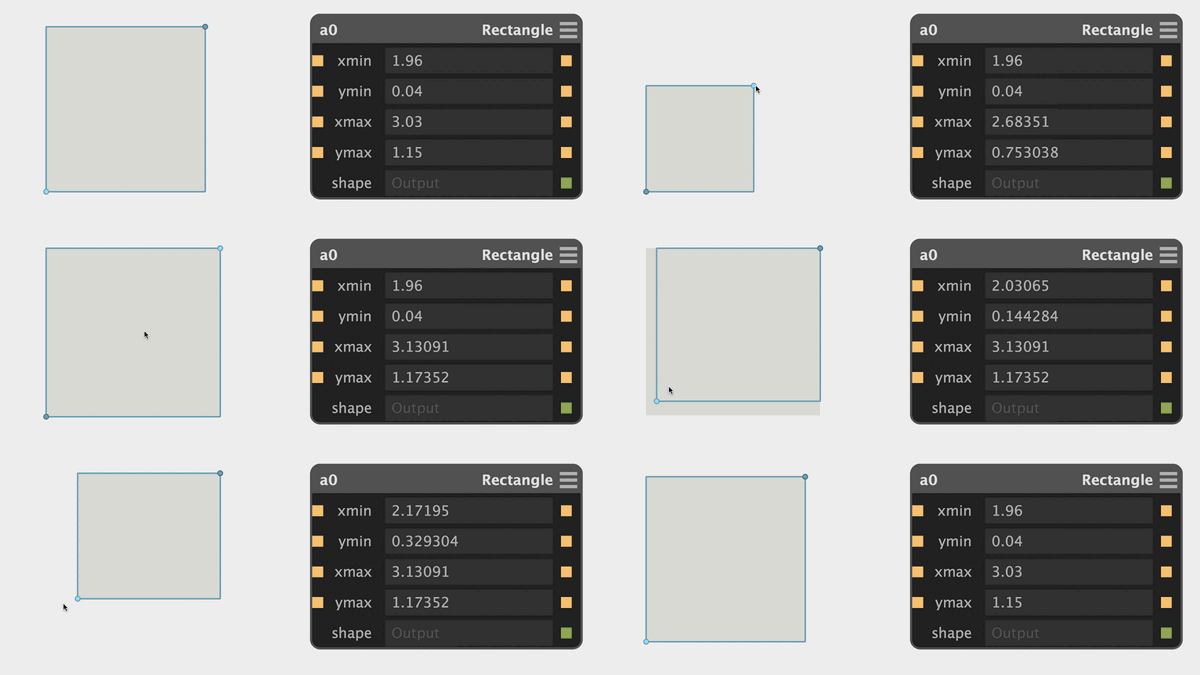
import fab

title('Rectangle')

input('xmin', float)
input('ymin', float)
input('xmax', float, 1)
input('ymax', float, 1)

output('shape', fab.shapes.rectangle(xmin, xmax, ymin, ymax))

# Interactive 3D Viewport UI Handles (sb.ui)
sb.ui.wireframe([
  (xmin, ymin, 0), (xmax, ymin, 0),
  (xmax, ymax, 0), (xmin, ymax, 0)
], close=True)
sb.ui.point(xmin, ymin, 0)
sb.ui.point(xmax, ymax, 0)
Under the Hood: Prefix String Distance Fields
Prefix string serialization for lightning-fast parsing and AST evaluation
While most users will work with high-level shapes, custom shapes in Antimony can be defined through a prefix string syntax that is easy to parse, serializable without paren ambiguities, and fast for machine code generation.
Here is the internal shape definition for the circle(x0, y0, r) shape:
def circle(x0, y0, r):
    return Shape(
        '-r+q-Xf%gq-Yf%gf%g' % (x0, y0, r), # prefix math string
        x0 - r, y0 - r, x0 + r, y0 + r) # bounding box
-
  r
    +
      q
        -
          X
          f%g
      q
        -
          Y
          f%g
  f%g
% (x, y, r)
Where q is square, r is square root, X, Y are coordinate axes, and f%g is a floating point constant.
Points where f(x, y) < 0 are inside the circle, points where f(x, y) = 0 define the exact mathematical boundary, and points with f(x, y) > 0 represent Euclidean distance from the boundary.
Automated Build & Launch Scripts
The repository includes turn-key automation scripts in the scripts/ folder for automated dependency installation, compilation, packaging, and execution.
Requires MSYS2 installed at C:\msys64. The script automatically installs mingw-w64-ucrt-x86_64 toolchain packages (Qt5, Python, Boost, Libpng, CMake, Ninja, flex, lemon), configures with CMake, and builds the executable.
git clone --recursive https://github.com/roboter/antimony.git
cd antimony
# 2. Run automated build script
.\scripts\build-windows.ps1
# 3. Run Antimony with runtime DLL PATH injected
.\scripts\run-windows.ps1
Requires standard development tools (cmake ninja-build g++ libqt5opengl5-dev qtbase5-dev libpng-dev python3-dev libboost-all-dev flex lemon). Compiles Antimony, stages runtime node and library assets, creates desktop launcher entries, and generates both a native Debian package (antimony-linux-amd64.deb) and a standalone tarball (antimony-linux-x86_64.tar.gz) in the dist/ directory.
git clone --recursive https://github.com/roboter/antimony.git
cd antimony
# 2. Make scripts executable and build
chmod +x scripts/*.sh
./scripts/build-linux.sh
# 3. Install Debian package or run standalone launcher
sudo apt install ./dist/antimony-linux-amd64.deb
Requires Homebrew. The script installs required formulas (libpng boost-python3 qt@5 lemon flex ninja cmake dylibbundler) and supports --bundle and --dmg flags.
git clone --recursive https://github.com/roboter/antimony.git
cd antimony
# 2. Make scripts executable and compile
chmod +x scripts/*.sh
./scripts/build-mac.sh
# Or build and create antimony-mac.dmg:
./scripts/build-mac.sh --dmg
# 3. Launch application bundle
open build/app/Antimony.app
Validates the build and test suites locally using the same script that executes in the GitHub Actions CI environment.
MIT Center for Bits and Atoms (CBA) Heritage
Lineage from personal-scale digital fabrication workflows to mathematical CAD
Antimony grew out of Matt Keeter's research on powerful personal-scale CAD/CAM workflows at the MIT Center for Bits and Atoms (CBA) under Prof. Neil Gershenfeld.
It represents the culmination of a sequence of experimental digital fabrication CAD tools:
Initial experimental geometric solver exploring non-traditional boundary representations.
Pure Python text-to-F-Rep CAD tool used extensively in MIT MAS.863 “How to Make Almost Anything”.
Visual DAG UI combined with Python node scripts, later evolving into the modern libfive geometric kernel.
Antimony was featured in the 2015 edition of Fab Academy, demonstrating how makers and engineers can design complex parametric geometries without commercial CAD licenses.