
AVR instruction emulation
A decoder loop executes the ATmega328 opcode set, keeping program counter, stack, and registers in sync as the firmware runs.
A lightweight ATmega328 emulator written in C# and WPF. Load a firmware image compiled into Intel HEX format, step through the disassembly, and watch port pins, analog inputs, and DAC output react in real time.



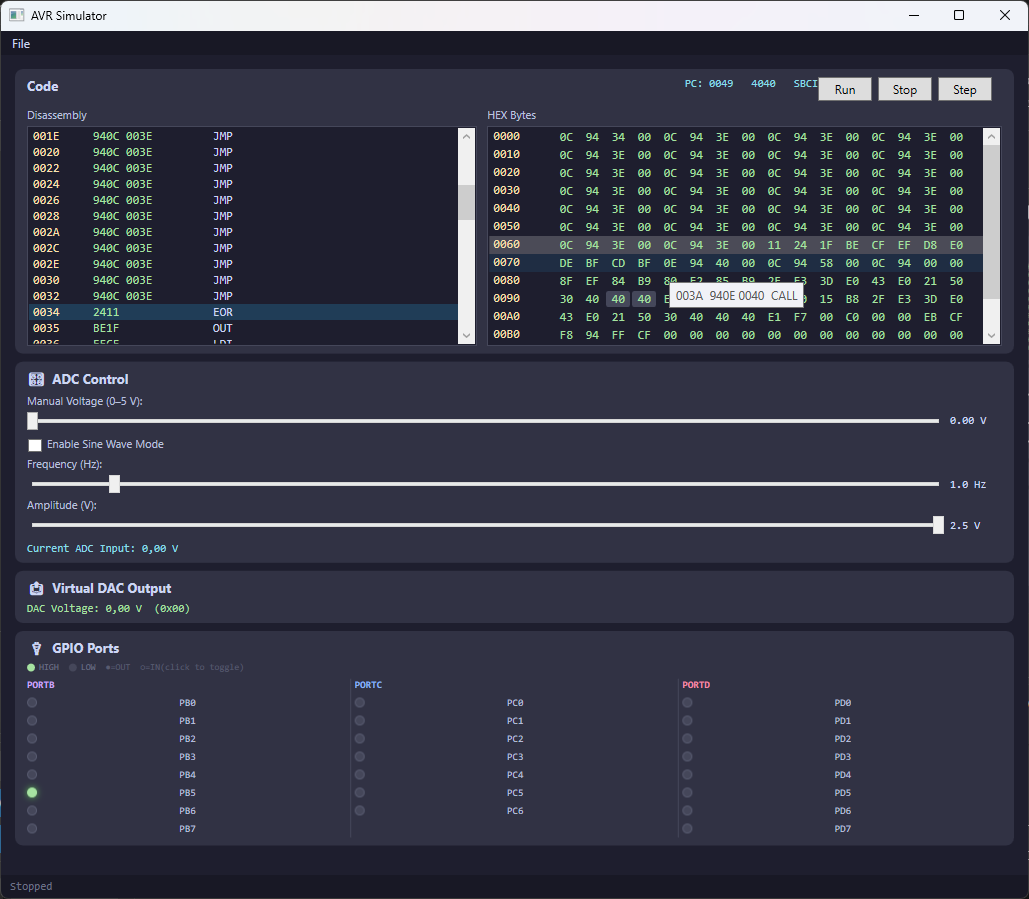
Everything in the README, arranged as the workflow you actually use.
A decoder loop executes the ATmega328 opcode set, keeping program counter, stack, and registers in sync as the firmware runs.
Reads the .hex files produced by AVR-GCC and avrdude, decodes the records, and maps the resulting bytes into simulated flash.
PORTB, PORTC, and PORTD are rendered as LED-style pin indicators, so output writes and toggling are visible while the program executes.
Drive analog inputs with the manual voltage slider or a sine wave generator, and watch the DAC output voltage change in real time.
Emulation runs on a background worker, leaving the WPF interface responsive for run, stop, and single-step control.
Chip behaviour sits behind the AVRInterpreter base class, so additional AVR variants can be added without touching the UI.
#include <avr/io.h>
#include <util/delay.h>

int main (void)
{
  /* set PORTB for output */
  DDRB = 0xFF;

  while (1)
    {
      /* set PORTB.5 high */
      PORTB = 0x20;

      _delay_ms(1000);

      /* set PORTB.5 low */
      PORTB = 0x00;

      _delay_ms(1000);
    }

  return 1;
}Blink.hex is loaded automatically from the execution directory, so a fresh download starts running immediately. Every other firmware image follows the same cycle:
An Intel HEX file is parsed into the simulated flash address space.
The interpreter reads the next opcode at the program counter and decodes it.
Registers, SRAM, the stack, and I/O registers are updated like real hardware.
Pin, timer, ADC, and DAC state is pushed to the WPF visualisation.
PORTB
PORTC
PORTD
A 0–5 V manual slider, frequency and amplitude settings, and an optional sine wave generator feed the analog input value the firmware reads.
The output panel reports the DAC voltage as both a decimal value and the raw register code, so calibration logic is easy to verify.
Published September 21, 2026. A portable Windows bundle — unzip it and run the executable, or build the solution yourself.
AVR_Simulator.zip · 135.7 KB
Portable bundle with the self-contained simulator executable, the Blink sample firmware, and the license.
Download .zipThe frontend is a WPF application targeting .NET 10 on Windows. The emulation core itself is a standalone .NET class library.
Open the solution, switch to the Release configuration, and build. The executable lands in the x86 output folder.
Windows, the .NET 10 SDK (LTS) or newer, and optionally Visual Studio 2022 for the full IDE experience.
git clone https://github.com/roboter/AVR-Simulator.git
cd AVR-Simulator

# Open AVR Simulator.sln in Visual Studio
# Select the Release configuration
# Build -> Build Solution (Ctrl+Shift+B)
The built executable lands in AVR-Simulator.UI\bin\x86\Release\net10.0-windows\.
AVR-Simulator.Core holds the interpreter, memory map, and HEX parser with no GUI dependencies, so the emulator can be reused in tests or other frontends.
Browse the coreInstruction execution, memory operations, and HEX decoding are covered by unit tests, and the test workflow gates every release.
View test runsATmega328 is fully supported today. Other AVR variants can be added by deriving from the AVRInterpreter base class.
See the implementationAVR Simulator is released into the public domain under the Unlicense. The original proof of concept was written by tmthrgd; this fork modernises it for .NET 10 with a restructured solution, tests, and automated releases.