
CSG that reads like algebra
Build forms with natural C# operators: + for union, - for difference, and * for intersection.
Design 3D printable parts, mechanical assemblies, and parametric models with familiar C# and .NET. OpenSharpCAD pairs the code-first workflow of OpenSCAD with Roslyn compilation and a hardware-accelerated 3D viewport.





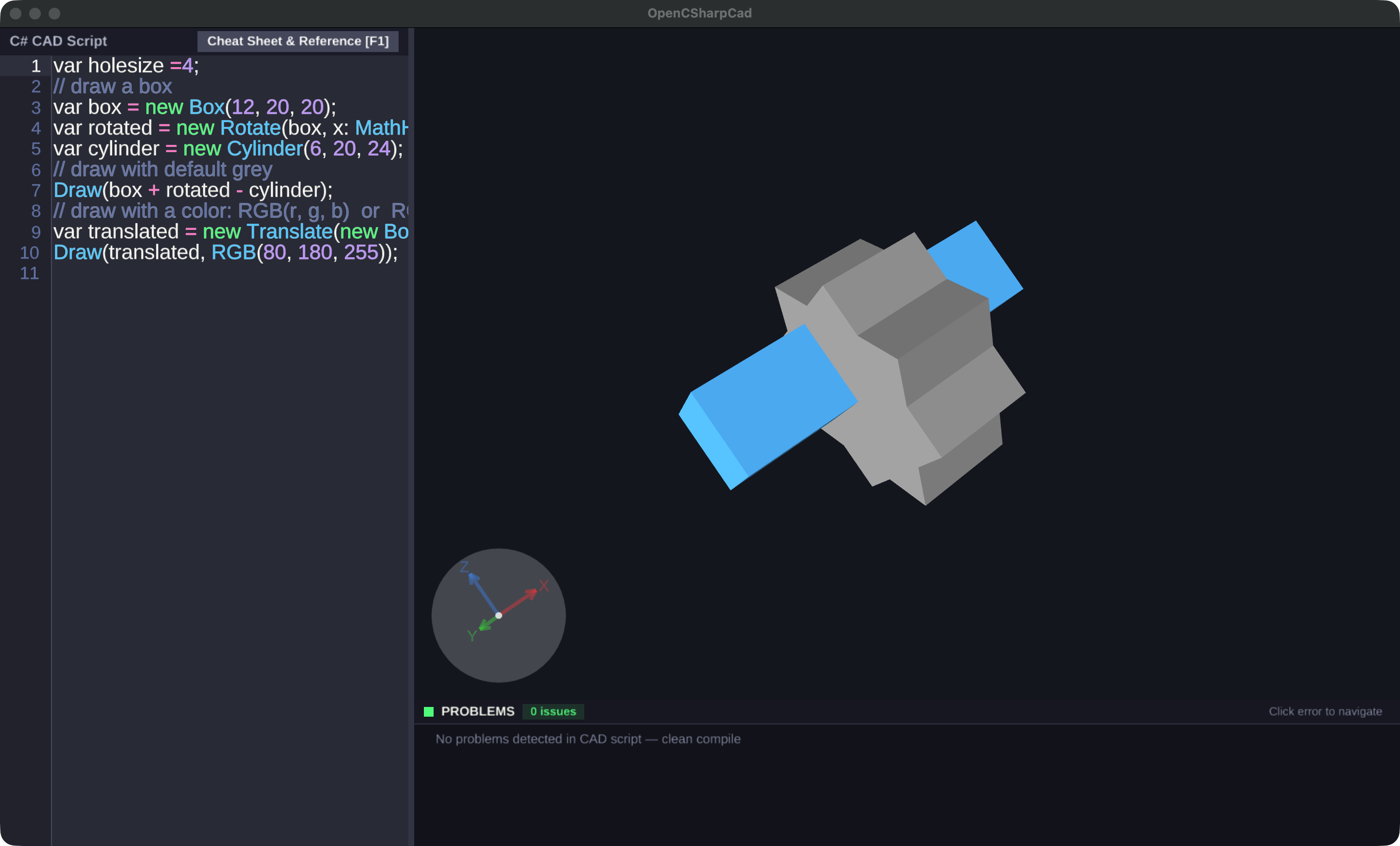
The README’s core CAD workflow, shaped into reusable building blocks.
Build forms with natural C# operators: + for union, - for difference, and * for intersection.
Work from Box, Cylinder, Sphere, Torus, and Cone primitives, then create 3D bodies from 2D shapes with linear and rotational extrusions.
Translate, rotate, scale, and mirror geometry with constructor wrappers or fluent C# extension methods.
Edit code and receive instant 3D preview updates, compiler diagnostics, and familiar C# tooling in the desktop IDE.
Use vertices, edges, corners, bounds, and anchor points to attach parts without manually calculating every coordinate.
Animate models with the OpenSCAD-compatible $t variable, plus playback controls, FPS, and step settings.
var holesize = 4;

var box = new Box(12, 20, 20);
var rotated = new Rotate(box, x: MathHelper.DegreesToRadians(45));
var cylinder = new Cylinder(6, 20, 60);

Draw(box + rotated - cylinder);

var translated = new Translate(new Box(40, 10, 10), 0, holesize, holesize);
Draw(translated, RGB(80, 180, 255));OpenSharpCAD keeps the familiar code-first ideas of OpenSCAD while using C# language features, ordinary methods and classes, and the wider .NET ecosystem.
This OpenSCAD-logo example uses a sphere and three rotated cylinders. The C# implementation returns their difference as an ordinary function, ready to be reused elsewhere in a design.
Browse more code examplesCsgObject Logo(double size = 50.0, int fn = 100)
{
double holeRadius = size / 4.0;
var sphere = new Sphere(radius: size / 2.0);
var cylZ = new Cylinder(radius: holeRadius, height: size * 1.25, sides: fn);
var cylX = new Rotate(cylZ, y: MathHelper.DegreesToRadians(90));
var cylY = new Rotate(cylZ, x: MathHelper.DegreesToRadians(90));
return sphere - cylZ - cylX - cylY;
}
Draw(Logo(50), RGB(255, 170, 50));Published October 20, 2026. Choose a packaged desktop build, or build from source for Linux and development workflows.
OpenSharpCAD-win-x64.zip · 57.8 MB
Packaged 64-bit Windows desktop build from the current GitHub release.
Download .zipOpenSharpCAD-osx-arm64.zip · 43.4 MB
Packaged desktop build for Apple Silicon Macs, including M-series processors.
Download .zipOpenSharpCAD-osx-x64.zip · 45.2 MB
Packaged desktop build for Intel-based Macs.
Download .zipClone the repository with submodules, then build with .NET 10 and GLFW.
Use the .NET CLI, or open OpenSharpCAD.sln in Visual Studio 2022, select OpenSharpCAD as the startup project, and press F5.
Install the .NET 10 SDK before building OpenSharpCAD.
git clone --recursive https://github.com/roboter/OpenSharpCAD.git
cd OpenSharpCAD

dotnet build OpenSharpCAD/OpenSharpCAD.csproj
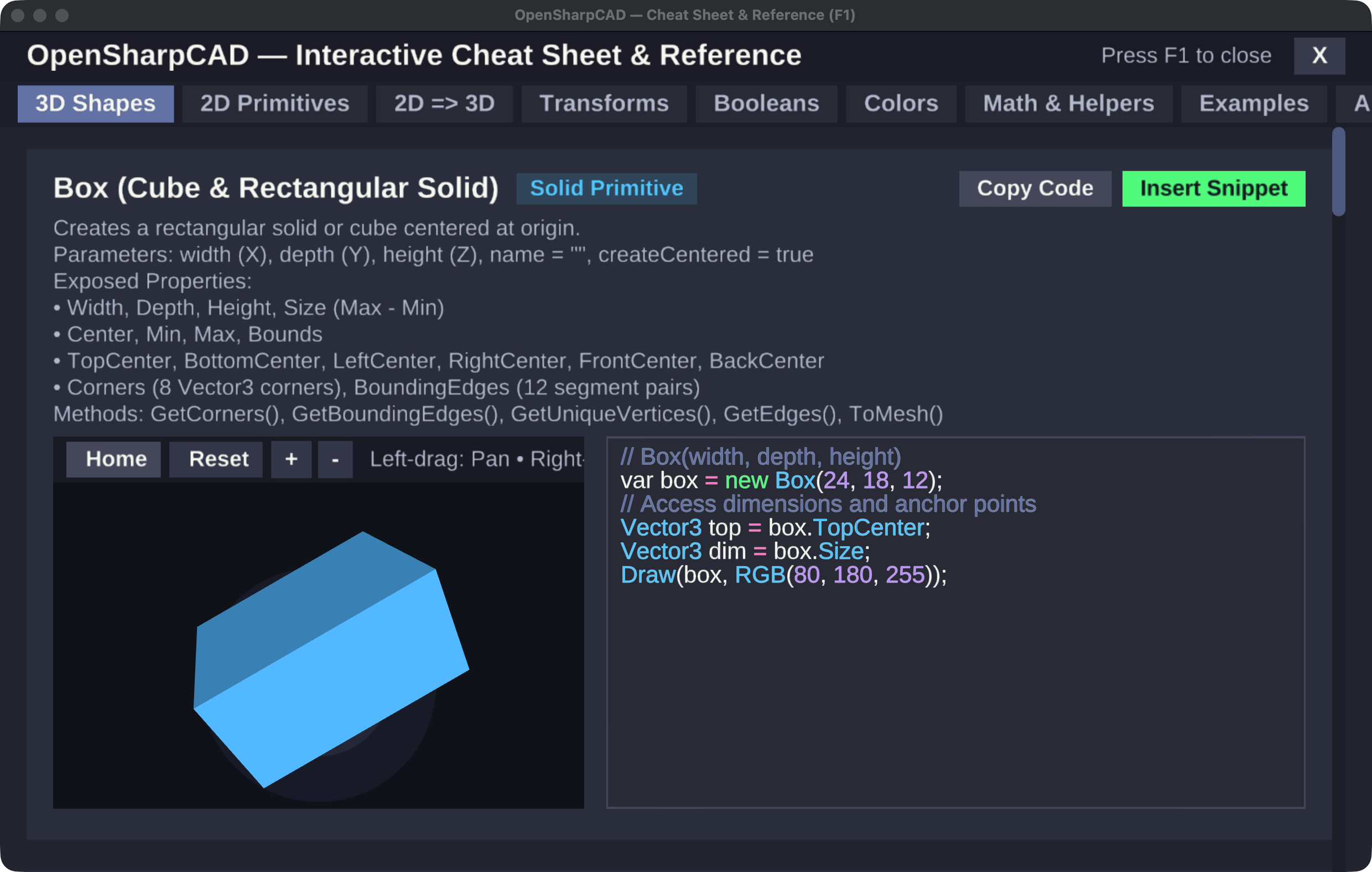
dotnet run --project OpenSharpCAD/OpenSharpCAD.csprojExplore the Three.js documentation viewer, web API reference, and the in-app F1 cheat sheet.
Open documentationBrowse standalone examples, command-line projects, API tests, and unit tests in the source tree.
Browse examplesTreat unknown CAD scripts with care. The README documents Roslyn guardrails and recommends isolating completely untrusted automation.
Read security notesOpenSharpCAD is inspired by MatterCAD and built for a programmable, reusable approach to 3D design.
Read about the original MatterCAD project